Every away meet followed the same script.
A week or two before the deadline, I’d print a spreadsheet — events across the top, athletes down the side. I’d bring it to practice, walk around with a pen, and ask each kid what they wanted to run.
That part isn’t too bad.
The hard part is the juggling.
Just like you can’t have nine shortstops in baseball, you can’t enter nine kids in the 100 when the meet allows three. So after I collect everyone’s requests, I sit down and start the puzzle. One kid wants the 100 but so do five others in her division. Another wants long jump and triple jump but he’s already at the max events per athlete. Someone has to move, and I’m trying to be fair about it.
On paper this means crossing out, erasing, squeezing names into margins, drawing arrows. By the time I’ve shuffled entries around to fit the limits, the sheet looks like a conspiracy theory board. Then I try to make sense of the mess as I enter data into Athletic.net or MileSplit and hope I got it right.
Deadlines are usually five to seven days before a meet. So I’m doing this cycle constantly — collecting requests at Monday practice, juggling limits that night, submitting by Wednesday, saving off screenshots to send to the team as confirmations, and starting over for the next meet.
Then there’s the ride situation.
We’re a small school. We don’t have a fleet of buses — we’ve got a couple ten-passenger vans and we depend on parents giving rides. So on top of figuring out who’s running what, I need to know who’s coming, who needs a ride, and whether we have enough seats. On paper that’s another column, another set of texts and GroupMe messages, another thing to track.
So I built something.
I’ve been a web developer for 25 years, so when I find myself doing the same manual process every week, I start looking for ways to automate it. I’d already built RaceApp for meet timing and scoring — adding an event planner was a natural next step.
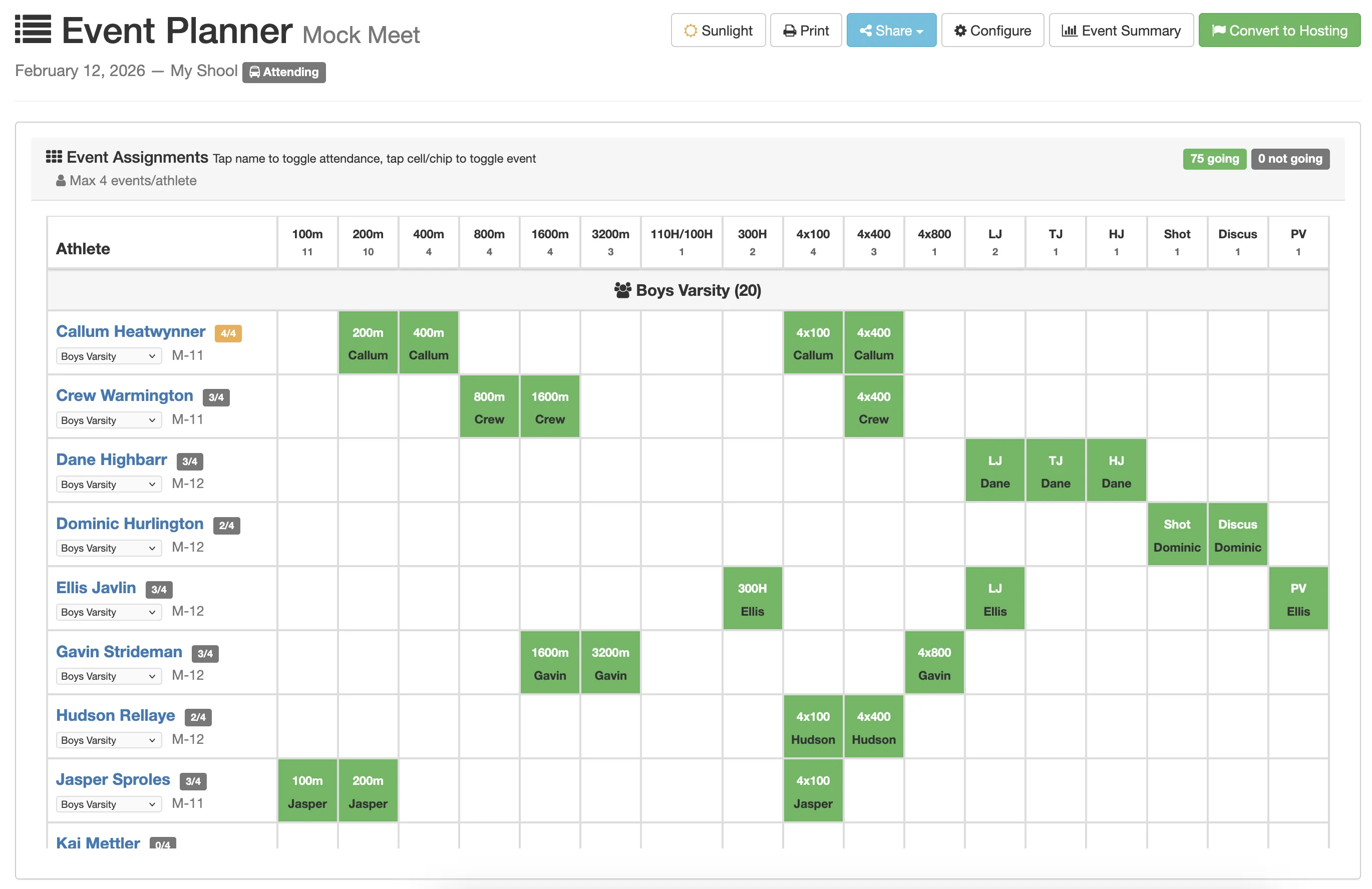
I’m not going to walk through every feature here — the landing page does that. The short version: it’s a grid on your phone. Athletes down the left, events across the top. Tap a cell to assign, tap again to remove.
The thing that really helps me is the limit tracking. The moment a division hits its max entries, the column turns pink. I can see the constraints as I work — no counting names in a column. When I’m juggling who runs what, I can tap kids in and out of events and immediately see which divisions have room and which are full. What used to take an hour of scribbling and erasing takes ten minutes of tapping.
Ride tracking lives in the same view. Tap a name, set their status — going, needs ride, not going. At a glance I can see how many kids need seats and whether I need to make calls. No separate spreadsheet, no group text.
My week now
- Monday: Create the meet in RaceApp. Pick events, set divisions and entry limits. Takes two minutes, or one click if I clone last week’s.
- At practice: Phone in my hand, walk around. Tap, tap, done. When I get home, I open the grid on my laptop to see the whole picture and juggle limits — pink columns show me exactly where I’m over.
-
Before the deadline: Final tweaks, check who needs a ride, print a clean grid. Then sit down with MileSplit or Athletic.net and enter the lineup — those are closed systems so this step is still manual, but I’m reading from a clean grid instead of deciphering my own handwriting.
Update: We built a free browser extension that puts your event planner entries right on MileSplit’s registration page — no more tab-switching. It matches names and checks the boxes for you.
- At the meet: Tape up the entry list at our team camp. Hand copies to my assistant coaches.
Especially helpful if you coach middle school:
There’s a family portal. Share a link, parents sign in with Apple or Google, and they can mark availability for the whole season — going, not going, needs a ride. They can even request events ahead of practice so you start with a baseline instead of polling every kid from scratch. You still make every final call, but you walk into practice already knowing who wants what. More on how that works →
It’s free
Not free-with-an-asterisk. Free on every plan, including the free tier. Unlimited rosters, unlimited meets. The event planner is genuinely useful on its own. My hope is that once you’re planning meets in RaceApp, you’ll want to try the timing and scoring tools too — those are the paid part. But the planner has no limits and no upgrade wall.
Related: - Planning Meet Participation — step-by-step help guide - What is the Event Planner? — FAQ