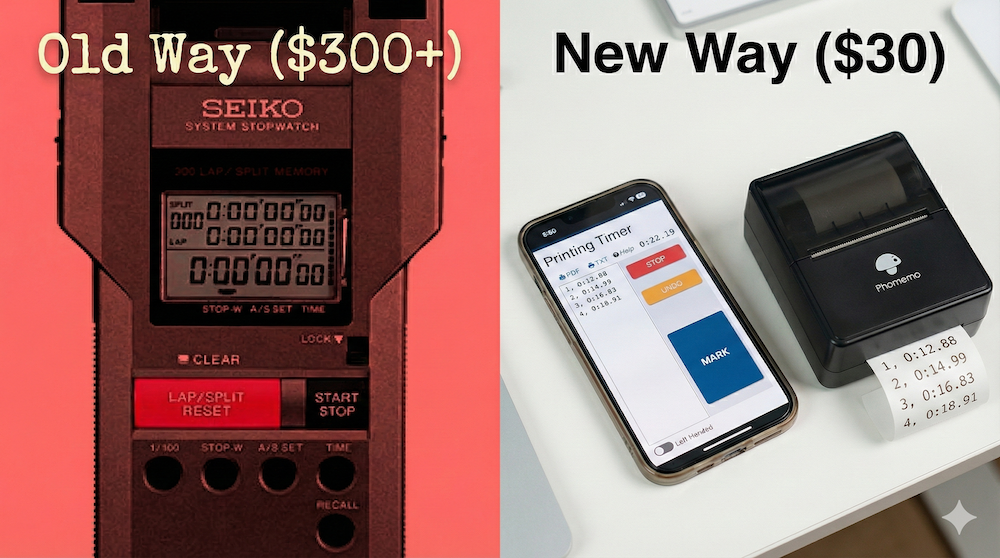
You’ve probably seen the Seiko S149 or similar “printing stopwatches” that spit out a paper tape of split times. They’re great - but they cost $250-350.
Here’s the thing: you can get the same functionality for under $50 using gear you might already have.
What You Need
- Phone or Tablet - runs RaceApp’s free hand timer
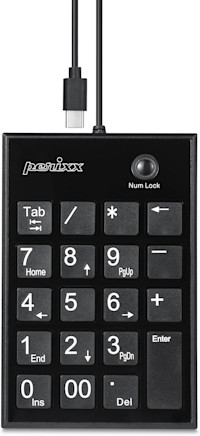
- USB number pad (~$14) - gives you a physical button to press.
That’s it. Total cost: ~$14 - you already have a phone.
How It Works
- Plug the USB number pad into your phone or iPad
- Open raceapp.net/timer in your browser (no login needed)
- Tap Start when the race begins
- Press the “+” button on the number pad as each runner crosses the finish line
- Press Stop after the last athlete’s time is recorded
- Tap Share to text or email the results to yourself
The number pad gives you a satisfying physical click - way easier than tapping a screen, especially when runners are finishing close together.
Why This Beats a Seiko
| Seiko S149 | RaceApp + Number Pad | |
|---|---|---|
| Cost | ~$300 | ~$14 |
| Output | Tiny paper tape | Digital list you can share instantly |
| Backup | None - if you lose the tape, it’s gone | Times saved on device, shareable |
| Battery | Proprietary, hard to find | iPad battery lasts all day |
| Learning curve | Cryptic button combos | Intuitive touch interface |
Take It Further: Add a Portable Printer
Want actual paper receipts like the Seiko? Add a portable Bluetooth thermal printer (~$30). It uses cheap receipt paper and pairs with your phone or iPad.
Print your times on the spot, hand them to coaches, or post them at the finish line. Total setup cost: under $50 - still way less than a Seiko.
Pro Tips
- Practice first - Get comfortable with the rhythm before race day
- Use it as backup - Have a volunteer run this alongside your main timing system
- Works offline - The timer keeps running even without cell signal
When You’re Ready for More
This free timer is great for backup or casual use. When you’re ready for integrated meet management:
- Hand Timer - Same concept, but times sync directly to your meet results
- Video Assisted Timer (VAT) - Captures finish line photos alongside times
- FAT Timer - Full 240fps video timing for sprint-level precision
Got questions? Email us at [email protected]