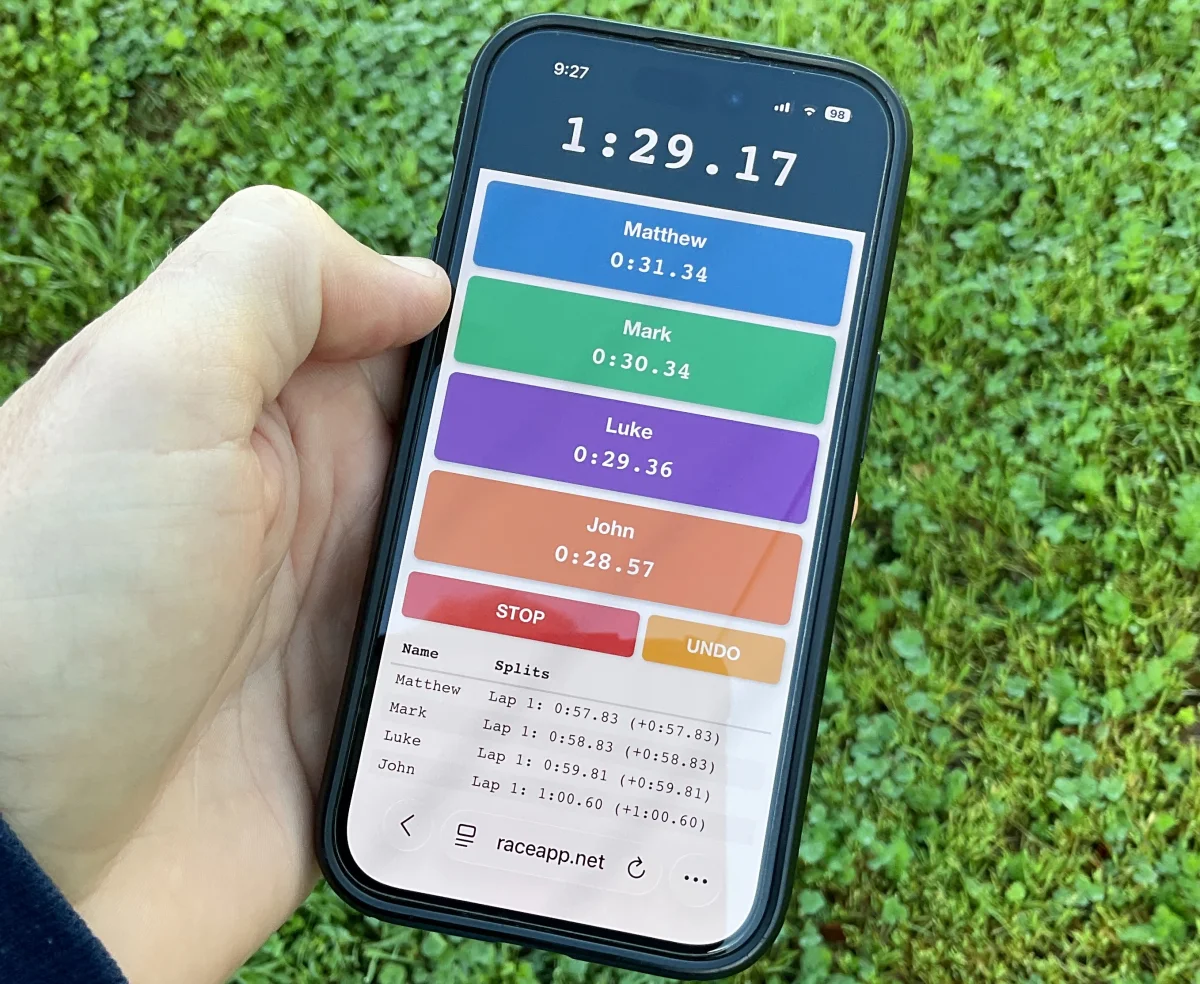
While thinking about our first invitational of the year coming up soon, I really wanted a better way to capture splits for all 6 of my 1600m runners, and relay splits for our 2 4x400m teams that may be in the same heat.
I’ve tried many different apps and even a phone in each hand. None of them give you clean, per-runner splits without juggling.
So I built something: a free multi-person split timer at raceapp.net/multi-timer. No login. Nothing to install. It runs in your phone’s browser.
Here’s how it works.
Setup Takes 10 Seconds
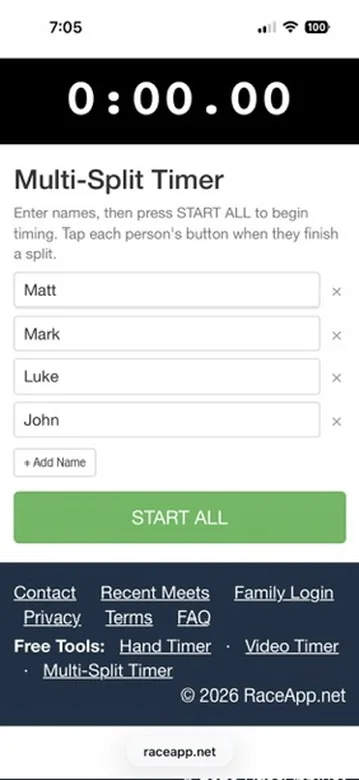
Before the race, type your runners’ names — up to 12. Tap START ALL when the gun fires.
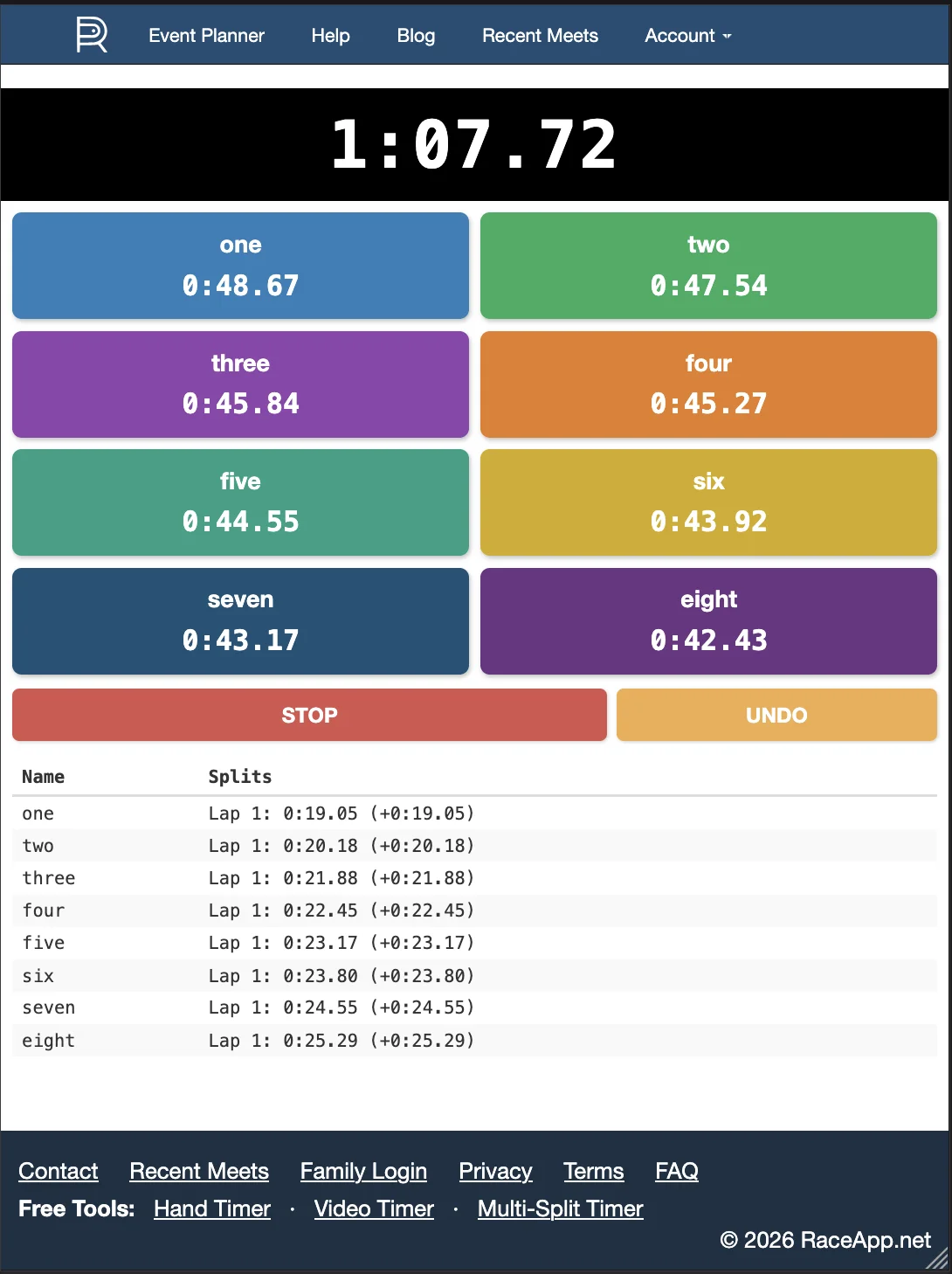
Each runner gets their own colored button. During the race, tap a runner’s button every time they hit a split point: the 200, the 400, the bell lap. The timer records the exact time of each tap and immediately shows you how long it’s been since their last split — so you always know their current lap pace, live, while the race is happening.
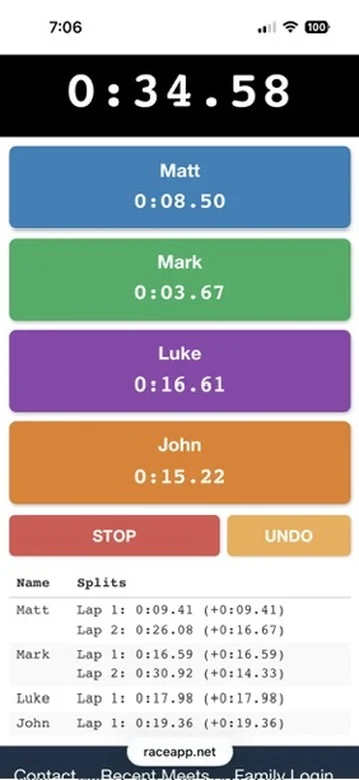
When the race ends, you’ve got a full split log for every runner.
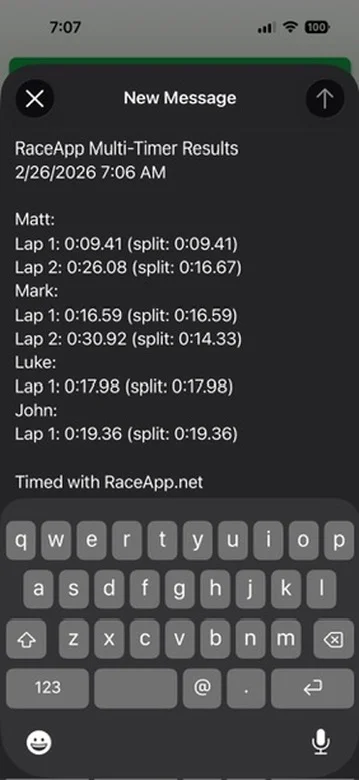
Hit SHARE and it formats everything as plain text you can send to yourself, text to an athlete, or paste into your notes.
Where This Actually Helps
Distance Races. You’ve got 6 kids in the 1600m race. One is an over-aggressive front-runner, one is a negative-splitter, and the rest are all over the place. You want 400 splits on all of them. With this timer, one coach can do it — tap each button as they come through the 400 mark.
Distance relays. The 4x400 and 4x800 are chaos if you have more than one team in the race at the same time. Leg splits get lost. With the Multi-Split Timer, set up buttons for each runner before the race and tap as each one tags off. You’ll have individual leg times for every runner on every team, even when they’re overlapping laps.
Practice. Repeat 400s, 600s, ladders — tap each athlete’s button as they finish each rep. Your whole session is documented without anyone writing anything down.
Bigger groups. The timer handles up to 12 runners at once. When you have 6 or more, the buttons automatically switch to a 2-column layout so you can see everyone on screen at the same time — no scrolling to find the right button mid-race.
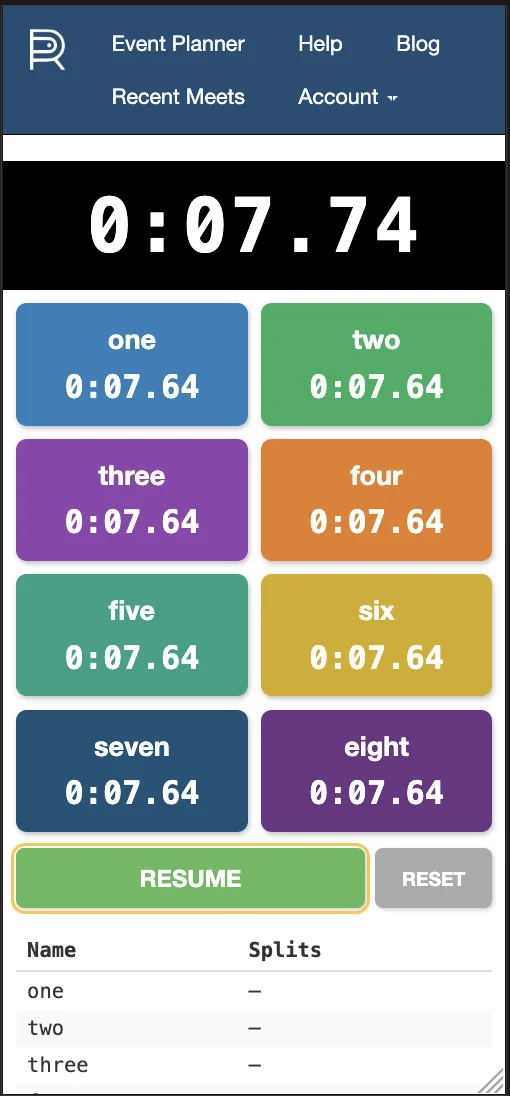
Works on iPad too
A Few Things Worth Knowing
It saves automatically. If you get a phone call or accidentally close the browser tab, your data is still there when you come back. The timer state is saved locally on your device.
UNDO. If you tap the wrong button — and you will — there’s a single Undo button that removes the most recent tap, regardless of which runner it was for.
STOP and RESUME. Accidentally hit Stop? Tap Resume and the clock picks back up. The paused time isn’t counted against anyone.
It’s free. No account, no subscription, no ads. It’s just a tool coaches should have.
Try it before your next meet: raceapp.net/multi-timer
If you want the rest of the picture — meet management, FAT timing, heat sheets, results — that’s what RaceApp is built for. But this one’s just free.